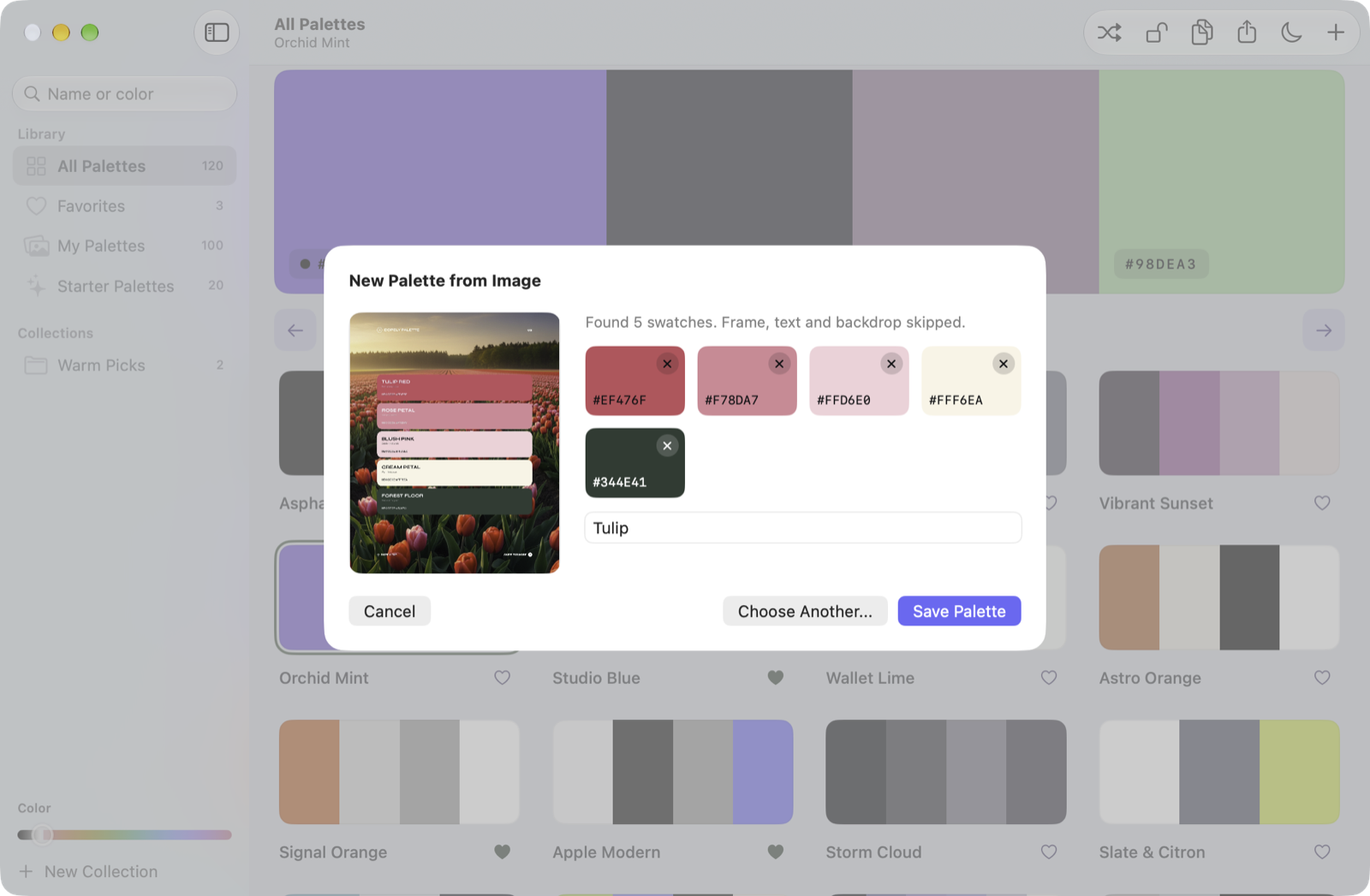
I save palette images the way other people save recipes. Five tall swatches on a white page. Cards stacked over a sunset. A street at night with five colors pulled out of it. For a long time, turning one of those into a palette I could use meant fixing it by hand, because every color picker also took the white page, the black title and a few colors from the photo behind.
Pallet 2.0 reads them the way I do. Only the swatches.
The idea
A swatch is a big flat shape that doesn't touch the edge of the image. Text is text. A photo is never flat. Those three rules already get most of the way. The last step was the one I wanted most: when the hex codes are printed on the card, use them, don't guess.
Read the image like a person would, then trust what is written on it.
What it does
- Swatches only. Palette posts give their swatches. The page, the title and any photo behind the cards are left out.
- Printed codes, exactly. Apple's Vision reads the text on the image. A code next to a swatch snaps it to that exact value. A big title becomes the name.
- Website screenshots. Many lines of text and big flat areas mean a web page, so you get its colors instead: background, surface, text, accent.
- From anywhere.
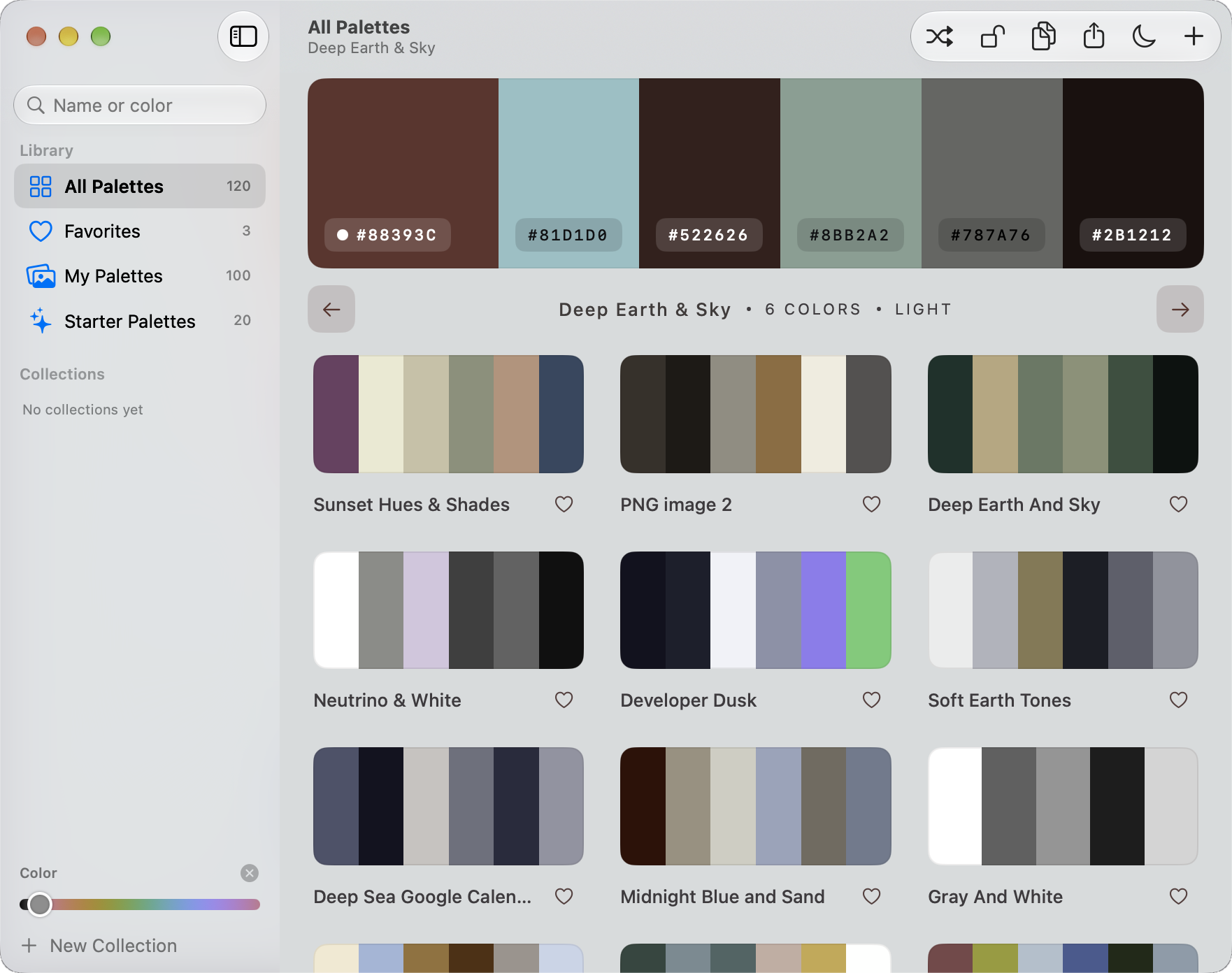
Shift-Cmd-Ppicks any area of the screen from any app.Option-Shift-Cmd-Popens a small panel in the menu bar to drop or paste an image. - A window that follows the palette. The page, the buttons and the icons take the palette's colors. The arrow keys move the main color, so you can play with it. Every text color stays readable.
- A real collection. Collections, a color slider to find every palette with a certain blue, search by name or color, undo for everything.
From Electron to SwiftUI
The first Pallet was an Electron app I made in September. It worked. It was also 295 MB and felt like a web page in a frame. 2.0 is native SwiftUI: 4.4 MB, a sidebar, a toolbar you can rearrange, Settings in tabs, shortcuts you can record. Apple's design rules for the frame, the palette's colors for everything inside it.
The collection didn't move. It is the same plain JSON file in Application Support, so the update opened with everything already there.
It is on the site too
The web version runs at akakika.com/pallet with my whole collection. Browse it, shuffle it, rotate a main color and watch the page follow, copy the CSS. Anything you add or heart stays in your own browser. My collection reaches the site with one key on my Stream Dock, which copies the names and colors and pushes.
Where it is now
Version 2.0, released 1 October. Free and open source under MIT, signed and notarized, for macOS 26 or newer. It still misses tiny accents on busy web pages, and a photo is a photo: you get its main colors, not a designer's palette. If it reads one of your images wrong, I'd like to see it.
Try Pallet
Browse my collection in the browser, or get the free Mac app (macOS 26 or newer).