I run a small fleet of agents — Claude Code, Cursor, Grok, a handful of others — and they all kept hitting the same wall. My setup lived somewhere they could not read it.
The information existed. It was spread across my Obsidian vault, agent configs, launchd plists and my head. When an agent needed to know which port a service runs on or which machine holds the backups, it either got the whole vault, keys and drafts included, or it guessed. And when several agents could edit the same notes, the notes drifted apart within days: two pages for one service, three opinions about one port, nobody responsible for the fix.
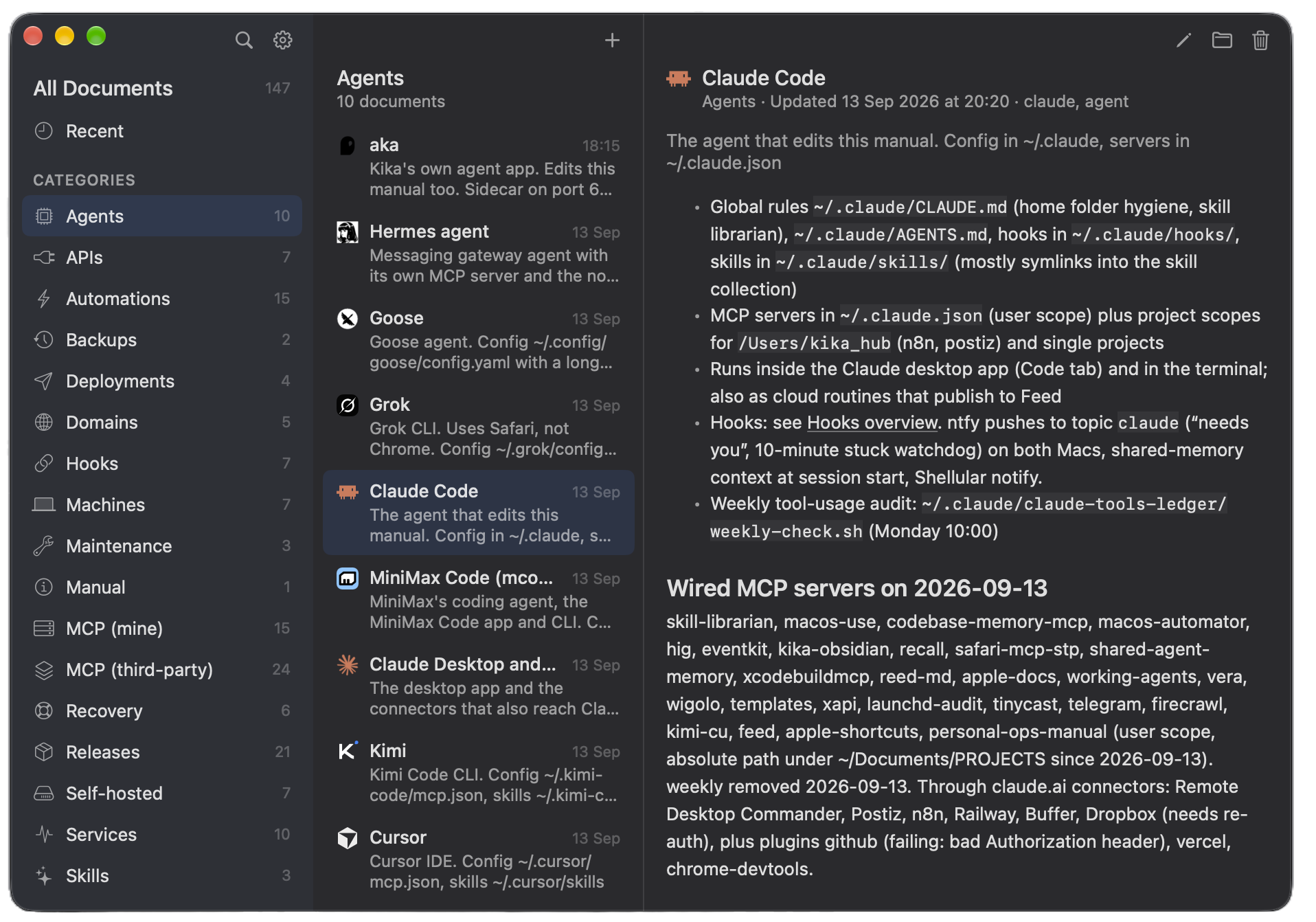
The Personal Ops Manual is my answer. One folder of Markdown pages, one page per thing: a Mac, a service, a launch agent, a domain, an MCP server, a backup route, a recovery step. A small native macOS app renders the folder in three columns. An MCP server exposes the same pages to every agent I run.
The idea
Make the folder the truth and put two windows on it. The app is for me: read, edit, add. The server is for the agents: list, search, read, a queue of pages that need a second look, and an inbox. No page writes on the server, on purpose; the one write it allows appends a dated line to the inbox file. One operator agent edits the pages directly, following a private skill that starts every session by emptying that inbox.
The rule sounds strict and it is the whole point: a manual with many writers becomes what the vault already was.
What it does
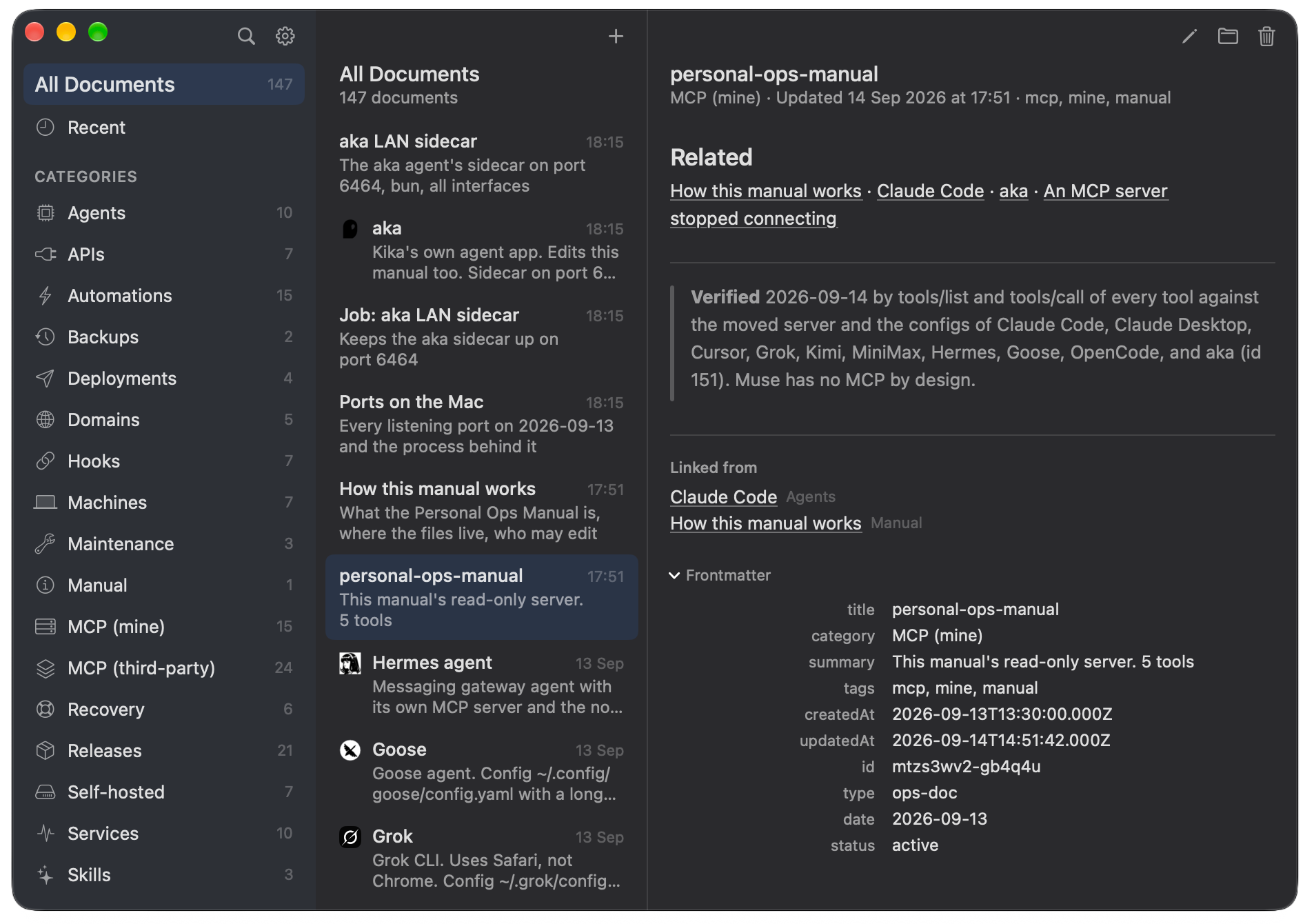
- Three columns — categories with counts, the pages of a category, the page itself, with wiki links between pages and a "Linked from" list on every page
- Seven MCP tools — list categories, list documents, search, get one page,
get_stale(pages past their Verified date, or with open checkboxes),report_changeandlist_reports - An inbox, visible — an agent that changes something drops a one-line report; the sidebar counts the reports before the operator gets to them
- Notes in, pages out — the New and Edit sheet has a "Load Markdown File" button that turns any note into a page
- Everything is a file — plain Markdown with YAML frontmatter, byte-identical across versions, so Obsidian, the server and hand edits all agree
How it works
The pages are plain Markdown files with YAML frontmatter in a folder inside my Obsidian vault. The app watches the folder; a change on disk shows up at once. The server reads the same folder and answers seven questions about it, one of which is a reader saying what changed.
When I ask the operator agent to document something, it searches first, edits the existing page or creates one in the agreed shape, sets the Verified line, and tells me which pages changed. Other agents that change something, or notice a page gone stale, call report_change; the line lands in _inbox/reports.md, the app counts it, and the operator applies it at the start of its next session. Every so often, get_stale hands the operator the oldest pages to re-check.
The manual is today, not history. A cancelled service or a removed server loses its page and every mention; the story goes to a changelog in the vault. A page marked "retired" still reads as live to an agent at two in the morning, so retired pages do not exist. Every fact is dated, unknowns stay checkboxes, and no page ever holds a secret.
The peace of mind
I am an extreme ADHD human, and what this gave me was something I did not plan for: peace of mind. Everything is written down. All my agents — and any agent I run next month — know how things run on this Mac, what is available to them, and who is in charge of what. Nothing lives only in my head, and nothing depends on me remembering it at the right moment.
The folder lives in my Obsidian vault, but the agents never need the vault. The MCP server hands them the pages without handing them the rest of my notes — read-only, with a single write: a dated line in the inbox when something changed and the operator needs to edit or add a page. Agents that will never see my vault still know exactly how this machine runs.
The philosophy
The design came from one sentence I said out loud: if all agents can edit, I am doomed. The moment I said it, the design was done. The folder is the truth. The app and the server are windows on it. One agent writes.
Everything else follows. The server is read-only on pages on purpose, and the one write it allows is a dated line in an inbox — a reader saying what changed, never changing it. Unknowns are checkboxes, not prose, so "not known" stays distinguishable from "not written". No page ever holds a secret, because every page is one MCP call away from ten agents.
What I learned building it: a rule about who may write is worth more than any feature. The inbox is not a limit on the readers — it is what makes trusting all of them possible.
Where it is now
The app itself was built overnight, while I slept. I planned it one evening and handed the plan to Claude Fable 5.1. He orchestrated the subagents himself and made over ten decisions along the way — every one of them listed, every one of them a good call. I woke up to it running, and the first thing I did was tell him well done. It was the best full-auto build I have experienced, and the token spend did not flinch: better usage than when I am involved the whole time. Apparently the plan was the part that needed me.
Version 2.1.1, native SwiftUI, notarized, in daily use on my Mac, with the server wired into ten agents. It needs macOS 26 or later. The repo is public: generic defaults, an MIT license, a contributing guide. Install it with brew install --cask aka-kika/tap/personal-ops-manual, or grab the zip from Releases. The folder is yours: the app is just a window on it.
Personal Ops Manual
Free and open source (MIT). One folder of Markdown, one app, one writer. It needs macOS 26 or later.