My agents write all day. Reports, plans, build logs, research notes. They save them as HTML and Markdown, in folders, one project at a time.
There were more pages than I could read. And reading them meant opening each file in a browser, one tab at a time, then losing it again. Markdown came up as plain text. The folder was already a library. I just had nothing to read it with.
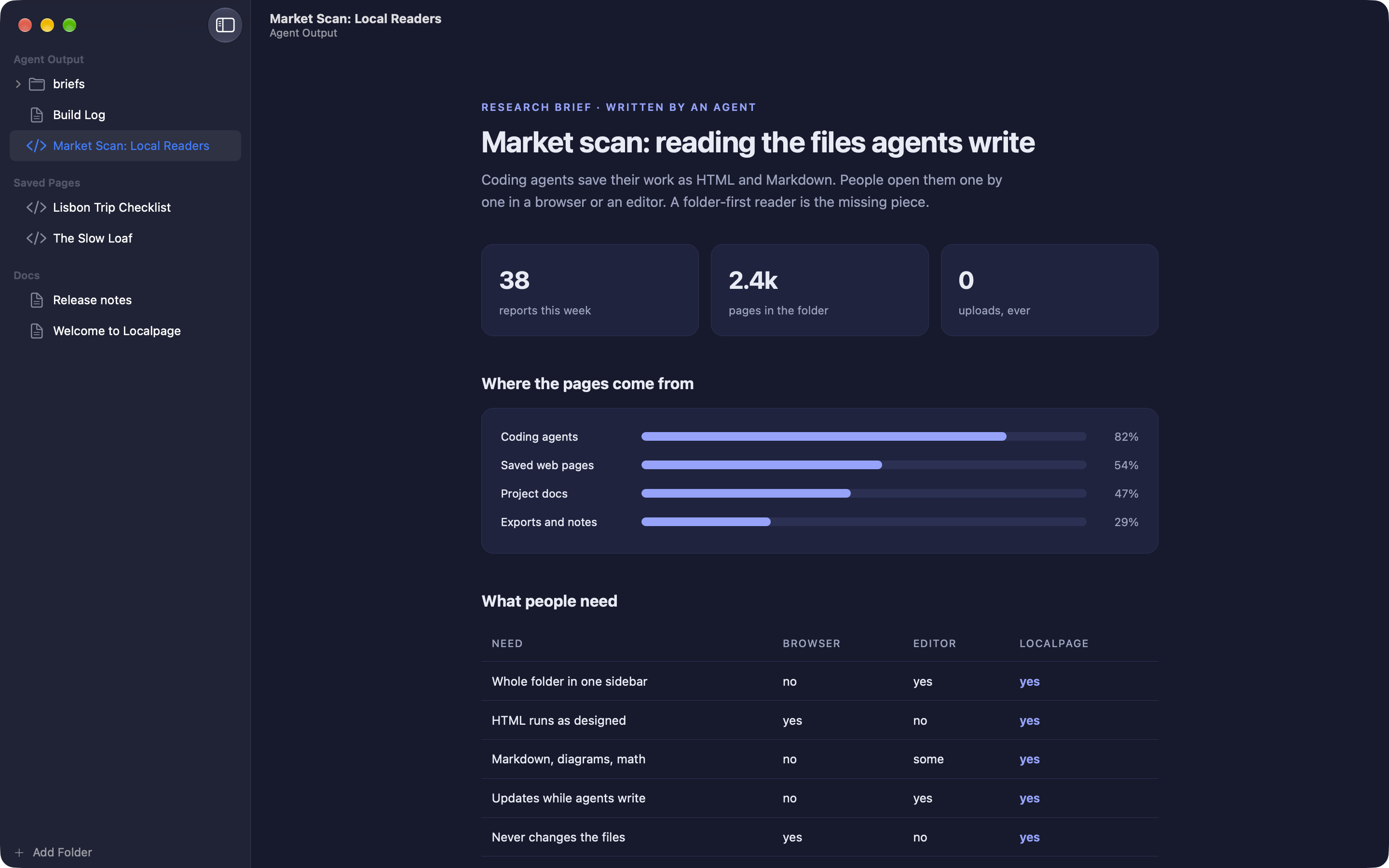
Localpage is a quiet Mac reader for those folders. I add a folder, and every HTML and Markdown page in it sits in one sidebar, opened in place, exactly as it was written. It is my first app on the Mac App Store.
The idea
A folder is a library that needs a reader. Not an editor, not a notes app, not another browser tab.
So Localpage only reads. It never changes, moves or renames a file. That is not a missing feature. It is the point: I can point it at any folder an agent is still writing into and never worry about it.
What it does
- One sidebar for a whole folder. I add folders or single pages, and every page in them is one click away.
- HTML that works. Pages run as designed. Scripts, styles, fonts and images next to the page all load, the way a browser would show them.
- Markdown, fully drawn. Tables, task lists, footnotes, code with colors, Mermaid diagrams and math.
- Always up to date. When a new file lands in the folder, it appears in the sidebar. When the open page changes, it updates on its own. That matters when an agent is still writing.
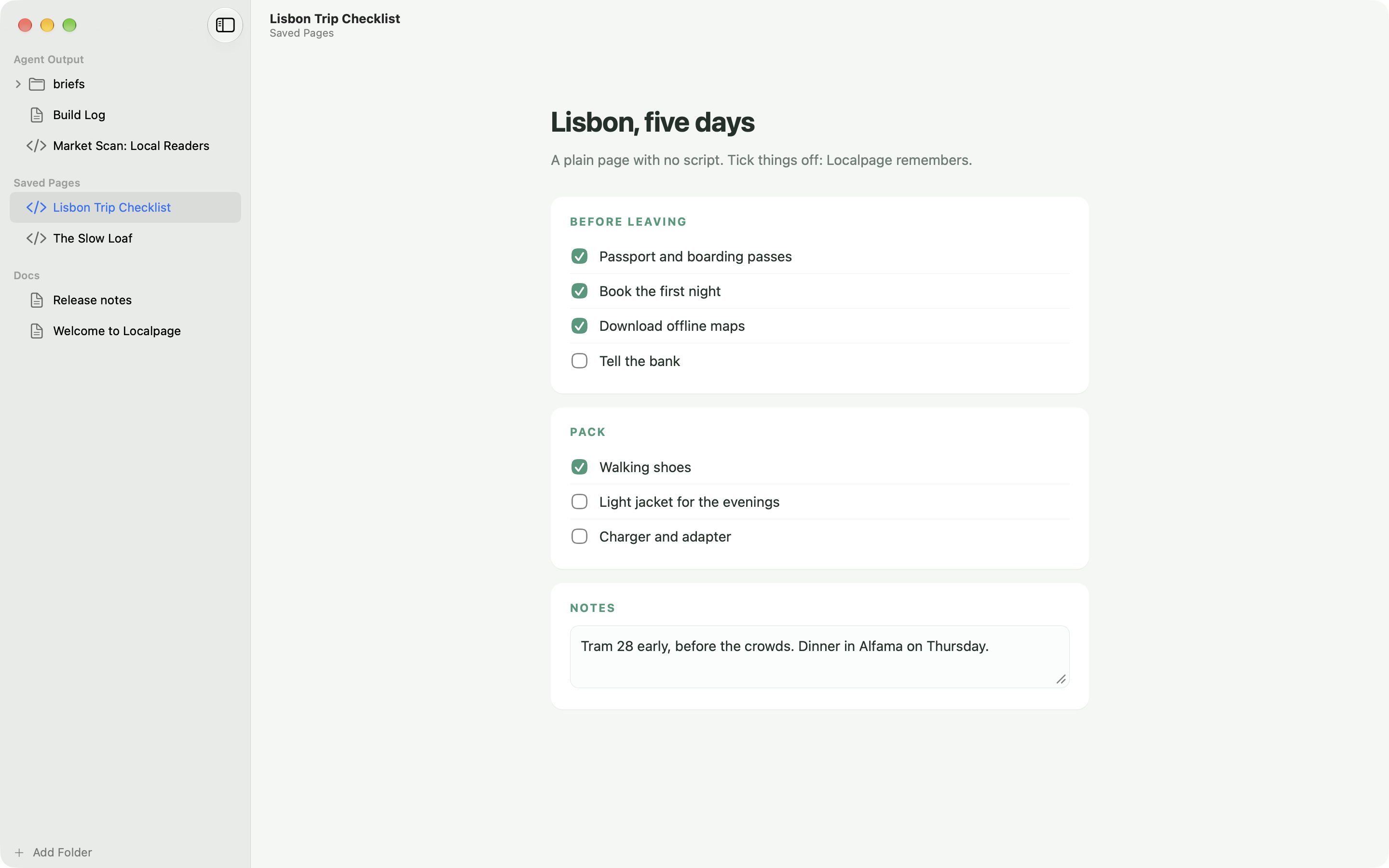
- Every page remembers. Ticks, notes and app data in a page come back next time, even on a plain page with no script. The file stays untouched; the state is kept inside Localpage.
- Made for the Mac. Paper, Ink and Mist themes, or Automatic to follow light and dark mode. The window takes on each page's own colors. Quick Look previews for Markdown in Finder, find in page, zoom, export as PDF or HTML, and print.
Why I built it
Read-only is a feature, not a gap.
That line is from my first note for this app. Localpage grew out of HTMELLY, the small open-source reader I made for my own folders. It worked, but it was built around my own reports. For the App Store I remade it around one job: read folders of HTML and Markdown, and never touch them.
The part I wanted most was memory. A checklist I tick in a saved page should still be ticked tomorrow, even when the page has no script to save it. Before, every tick was gone the moment I switched pages. Now every page remembers, not only the ones that save themselves, and the file still never changes.
How it works
Folders are added read-only. Each page opens in its own web view with its own storage, and a page can only read from its own folder. Markdown goes through a built-in reader that draws the tables, code, diagrams and math. For pages that don't save themselves, a small script remembers the checkboxes and text fields and puts them back when I return.
Nothing leaves the Mac. No account, no analytics, no tracking. A page that loads images, fonts or scripts from the web can talk to those sites, like in a browser. One switch in Settings turns that off and keeps every page fully offline.
Where it is now
Localpage 1.0.0 came out on the Mac App Store on 19 October 2026. It costs $7.99, once. No subscription. It needs macOS 14 or later.
Get it on the Mac App Store. More on akakika.com/localpage.